AI document translation
Upload a whole file rather than pasting paragraphs. Geyi parses the document, translates it and rebuilds the result so the translated file opens looking like the original — same page breaks, same tables, same figures in place.
Two layout modes are available. Layout-preserving keeps the original PDF pagination and replaces the text layer in place; AI reflow rebuilds the document, which suits Word, EPUB and web pages where the source layout does not need to be reproduced exactly.
Which formats can be uploaded
Twenty-five in total: PDF, DOC, DOCX, ODT, RTF, XLS, XLSX, XLTX, XLSM, ODS, PPT, PPTX, ODP, HTML, EPUB, MD, TXT, CSV, XML, SRT, PNG, JPEG, WEBP, GIF and TIFF. The per-file size cap and how many files you can submit at once depend on your plan.
What the translation exports to
- Word — you will keep editing it, format it, or hand it on to someone else.
- PDF — for reading, printing or archiving as is.
- Markdown — for a notes app, a knowledge base or your own writing setup.
- EPUB — a whole translated book to read in a reader app.
- Bilingual PDF and Word — original and translation interleaved paragraph by paragraph, for side-by-side reading and further editing (optional).
The three choices to make
Each file carries three independent settings. Layout mode decides what the translation looks like and which formats it can export to; precision decides quality and credits; the bilingual option decides whether a side-by-side version is produced alongside the translation.
The short version: want it to look exactly like the original, choose layout-preserving; working from scans, messy formatting, or needing several export formats, choose AI reflow. Want the best quality, choose high precision; want it fast and cheap, choose standard.
How the two layout modes differ
| AI reflow | Layout-preserving |
|---|
| Suits which originals | Scans, images, old archives, and documents that are messily formatted or need a different output format | Cleanly typeset PDFs with an intact text layer, such as academic papers and published work |
| Accepted formats | All 25 formats listed above | PDF only |
| Export formats | Word, PDF, Markdown, EPUB | PDF, matching the original layout |
| Credits per page, high precision | 8 for every format | 4 |
| Credits per page, standard precision | 4 for PDF and images, 2 for other formats | 2 |
See it in action
The first three pages of NASA’s magnetic-gear paper are processed through layout-preserving and reflowed bilingual pipelines, showing two columns, a specification table, captions and alternating English and Simplified Chinese paragraphs.
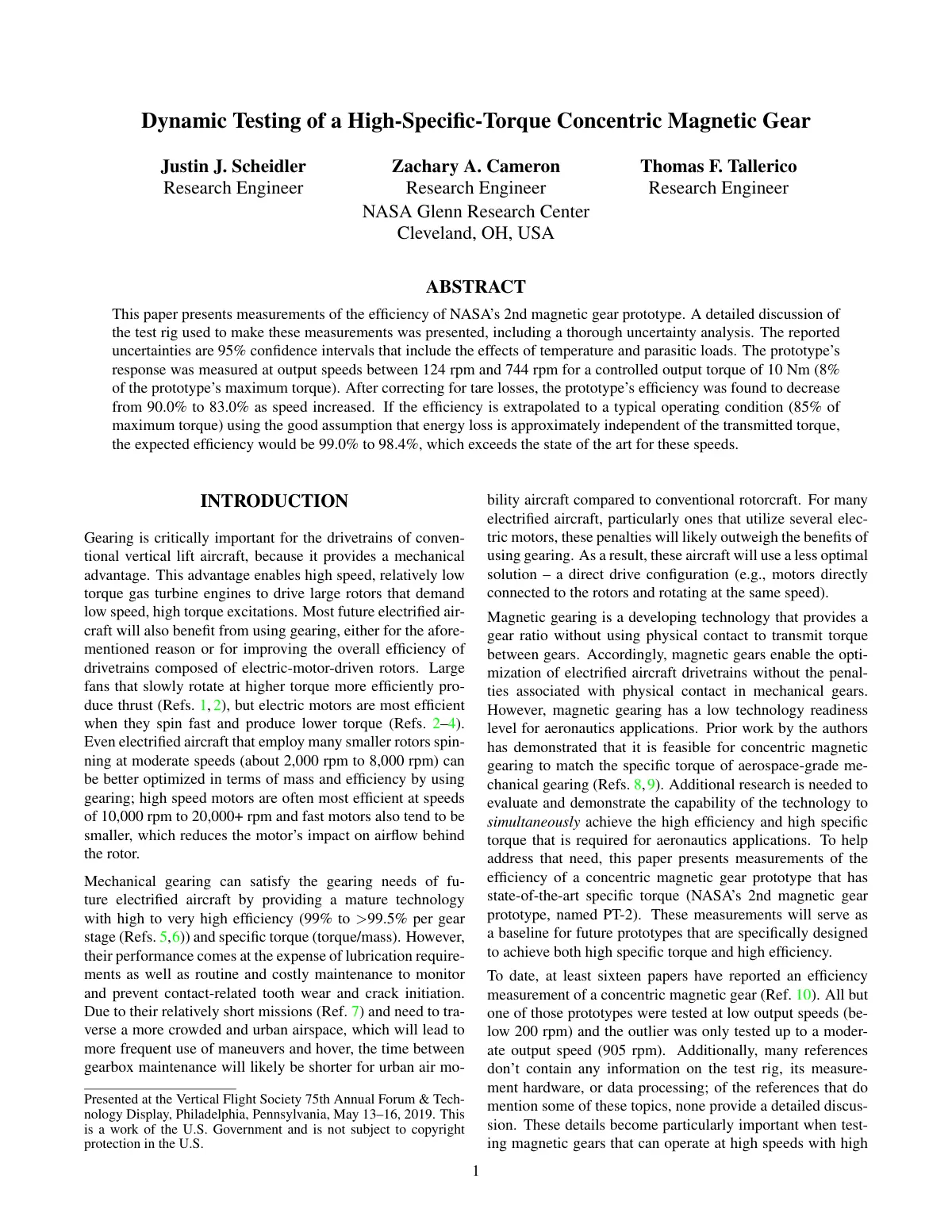
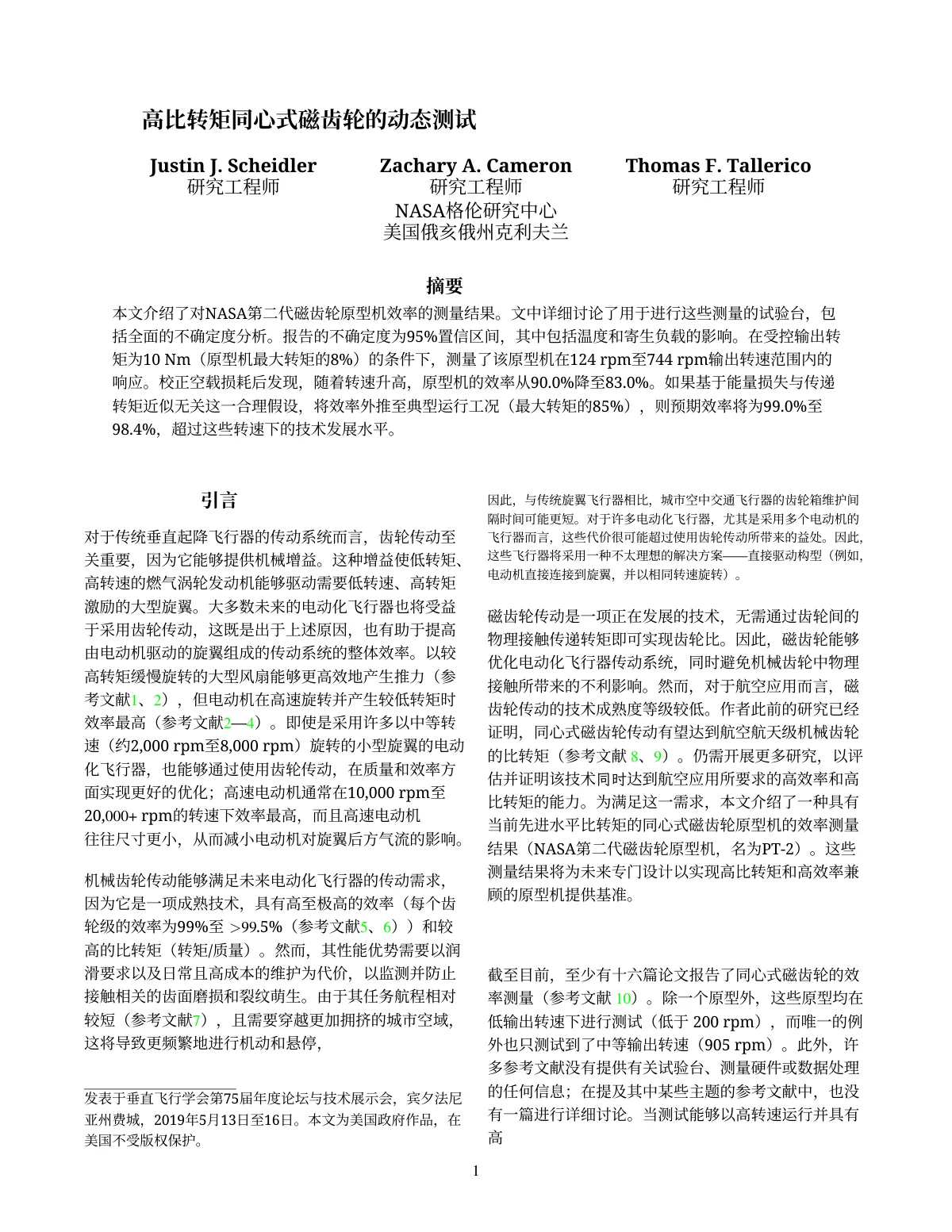 Layout-preserving translation, page 1: the title, abstract, two-column introduction and footnote are translated into Chinese and stay where they were; the two-column structure is kept.
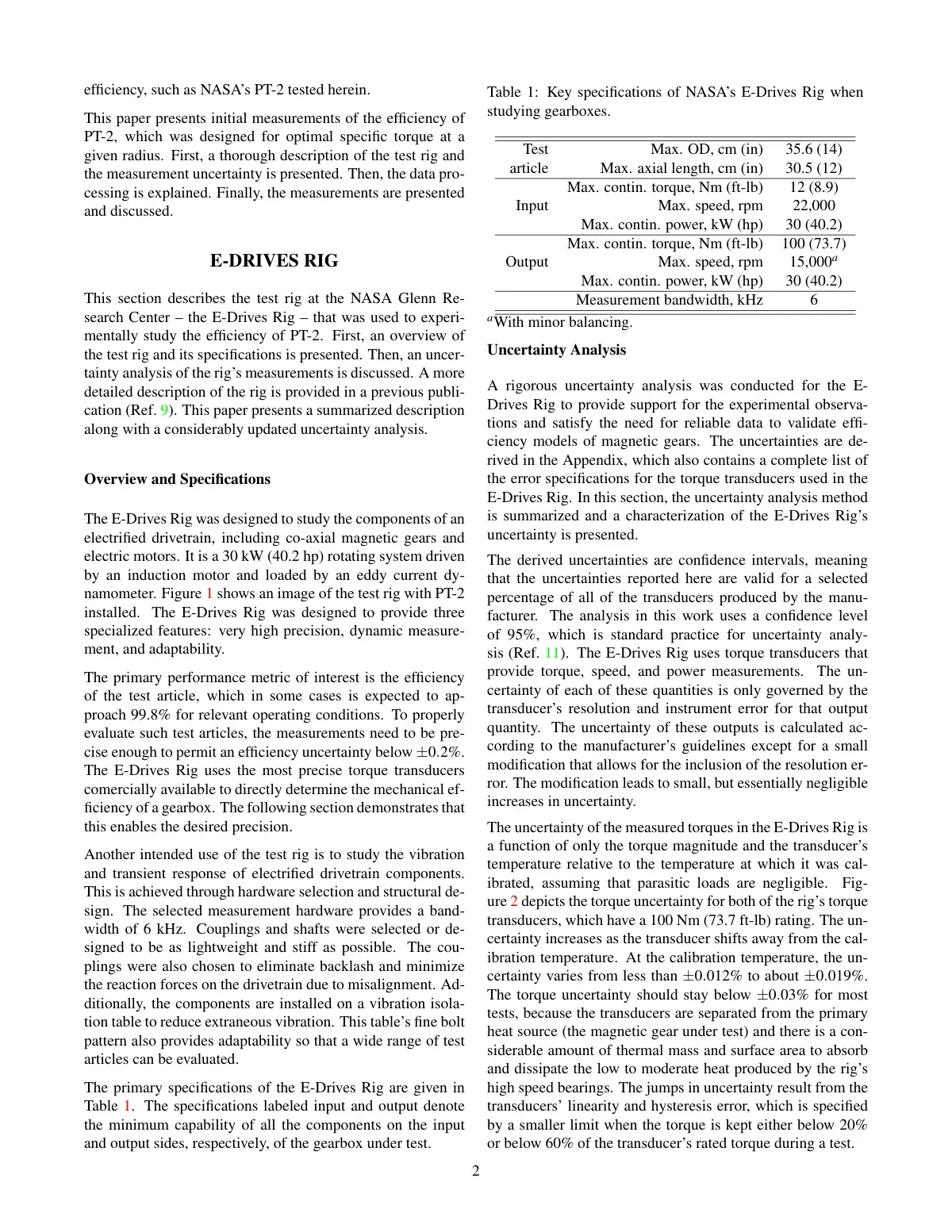
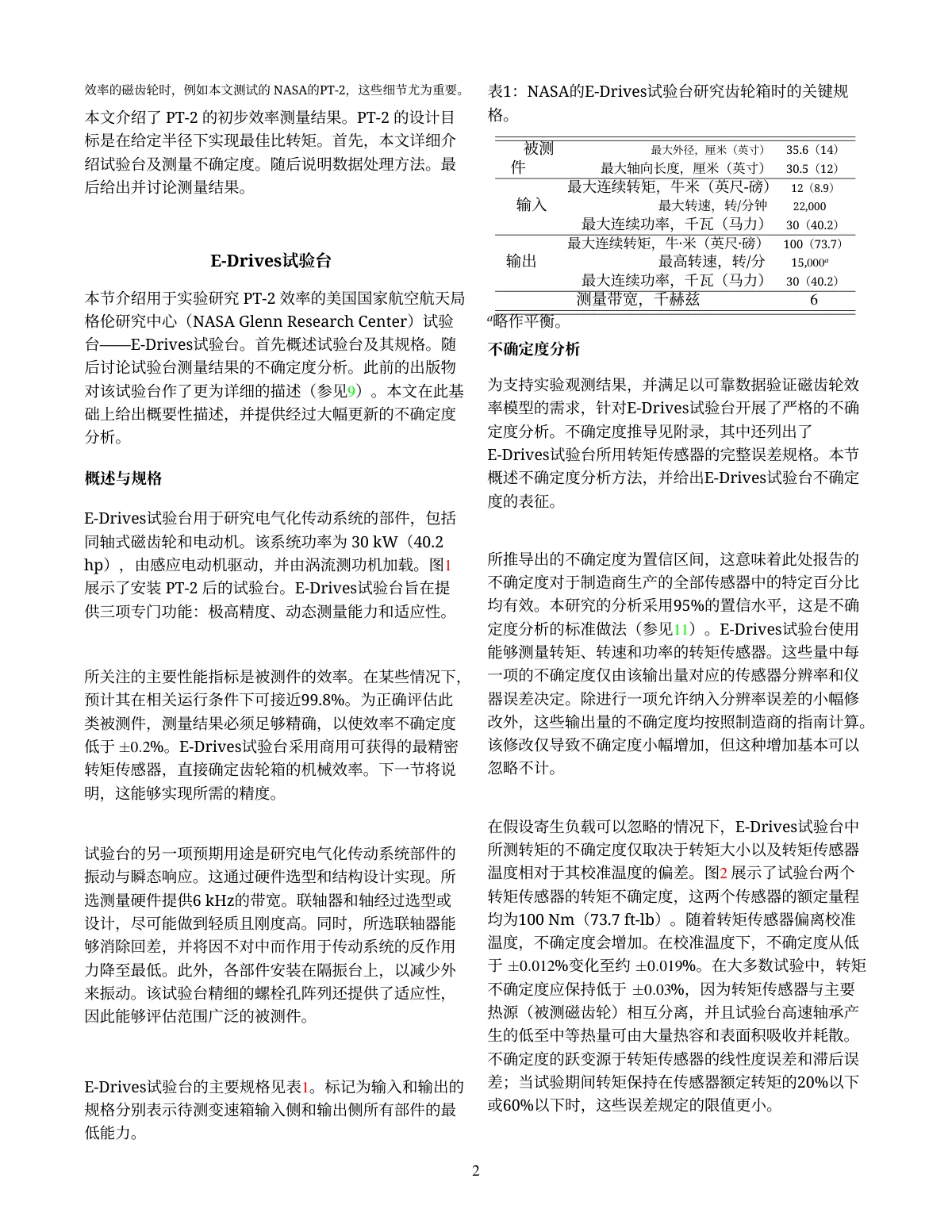 Layout-preserving translation, page 2: the two-column text and the caption and row labels of Table 1 (specifications) are translated into Chinese in their original positions; the table rules are kept.
Before
The prototype’s response was measured at output speeds between 124 rpm and 744 rpm for a controlled output torque of 10 Nm (8% of the prototype’s maximum torque). After correcting for tare losses, the prototype’s efficiency was found to decrease from 90.0% to 83.0% as speed increased.
After
在受控输出转矩为10 Nm(原型机最大转矩的8%)的条件下,测量了该原型机在124 rpm至744 rpm输出转速范围内的响应。校正空载损耗后发现,随着转速升高,原型机的效率从90.0%降至83.0%。
Abstract excerpt (layout-preserving output, not hand-edited): units, figures and the glossary terms for “tare loss” and “torque” are applied consistently.
Generated through Geyi’s pipeline, then checked against the source and edited for display. These are excerpts; translations are in Simplified Chinese. · Source: Dynamic Testing of a High-Specific-Torque Concentric Magnetic Gear, Justin J. Scheidler, Zachary A. Cameron, Thomas F. Tallerico (NASA Glenn Research Center), 2019 (U.S. Government work, not subject to copyright: the NTRS record's copyright determination is GOV_PUBLIC_USE_PERMITTED, and the footnote on page 1 states “This is a work of the U.S. Government and is not subject to copyright protection in the U.S.” All three authors are NASA Glenn Research Center research engineers.)
Frequently asked questions
What does one file cost?
Page count times the per-page rate in the table above, with a 10-credit minimum per file; a single image counts as one page. The estimate for your file appears after upload and before you submit.
Why is layout-preserving mode PDF-only?
It replaces the text layer inside the original PDF and reuses its pagination, so both input and output have to be PDF. When you need a different format, or the original is not a PDF, use AI reflow.
What separates high precision from standard?
High precision adds an AI polishing and drift-checking pass: after the first translation it reworks wording and sentence order paragraph by paragraph and verifies nothing has drifted from the original meaning. It suits publishing, academic and formal delivery. Standard runs in one pass — faster and cheaper, and fine for skim-reading, drafts and bulk work.
Can I pin specialist terminology?
Yes. The personal glossary kept in your account is applied to jobs automatically and takes effect on the next document as soon as you edit it — including jobs started from the Zotero plugin.
Can I upload several files at once?
Yes. How many run concurrently and the per-file size cap depend on your plan; past the limit the page asks you to wait for the current jobs or upgrade.
Related
简体中文 · Français · Deutsch · Русский · 日本語 · 한국어 · العربية · 繁體中文
Geyi is a proprietary AI document platform owned and operated by Nayuta Technology and Culture Company Limited.