Document extraction
Some documents are pictures of text: scanned books, photocopied archives, vertically typeset pages. Extraction reads those and returns text and structure you can search and edit.
Vertical Japanese and Chinese typesetting is converted to horizontal output, and multi-column pages come back in reading order rather than as one scrambled block.
When to use it
The line against format conversion is whether the text is still locked inside an image. Scans, photos and old vertically-set books belong here, because the characters have to be recognised first. Documents that are already clean and digital, where the text can be selected and only the extension is wrong, go through format conversion, which is faster. Both charge 4 credits a page, but they count pages differently: document extraction counts the pages of the original, while format conversion counts the text of the whole converted file, one page for every full 1,600 characters, with the remainder dropped and at least one page charged. For the same PDF, a multi-page file averaging fewer than 1,600 characters a page costs less to convert; one averaging more than 1,600 characters a page, or with a single page, costs no less to convert.
Extraction only, no translation — whatever language goes in comes back out. Use file translation when you need a translation.
What it accepts and produces
It accepts PDF, images (PNG / JPG / WEBP / TIFF and similar), DOCX, EPUB and Markdown, and produces Word, PDF, TXT or Markdown. Billing is per page: 4 credits a page, and a single image counts as one page.
It runs as a background job, so you can close the page and pick the result up later under History. Finished jobs can be previewed online.
When extraction is most accurate
- Clean print, scanned straight, gives the highest recognition rate.
- Vertical Japanese, two-page spreads and other unusual reading orders are corrected automatically — no need to split pages yourself.
- Where the image is blurry or largely handwritten, checking against the original before exporting is the safer move.
Choosing among the four exports
| Export | Pick it when |
|---|
| Word | You'll keep editing, format it, or hand it to someone else to continue. |
| Markdown | It's going into a notes app, a knowledge base or your own writing setup. |
| TXT | You want plain text to feed another tool or to search through. |
| PDF | You'll just read and archive it. |
See it in action
Scanned pages 437–438 of the 1913 U.S. Census Abstract become editable prose and statistical tables through document extraction. The preview shows Table 1 on page 437 and its surrounding explanation.
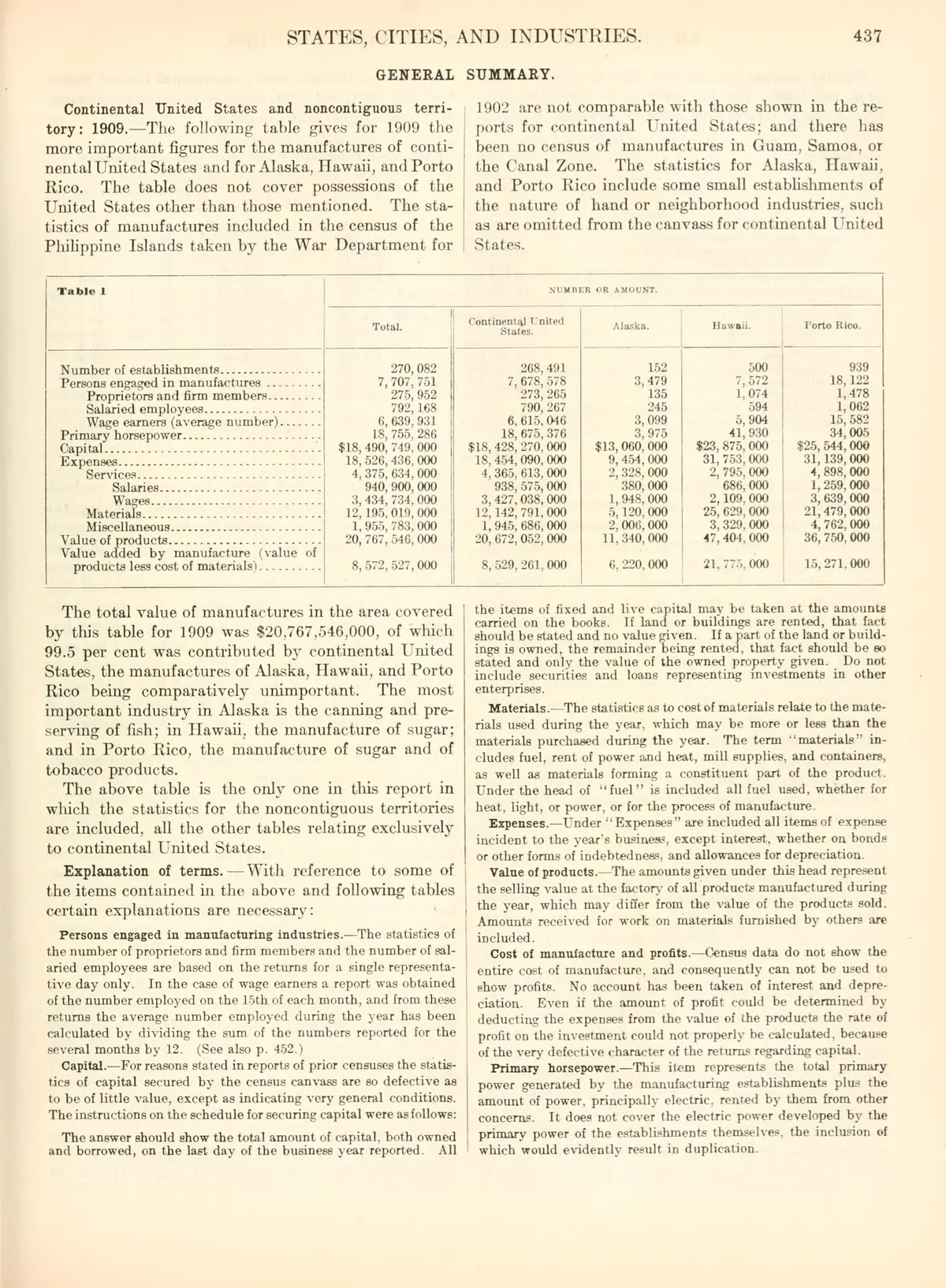
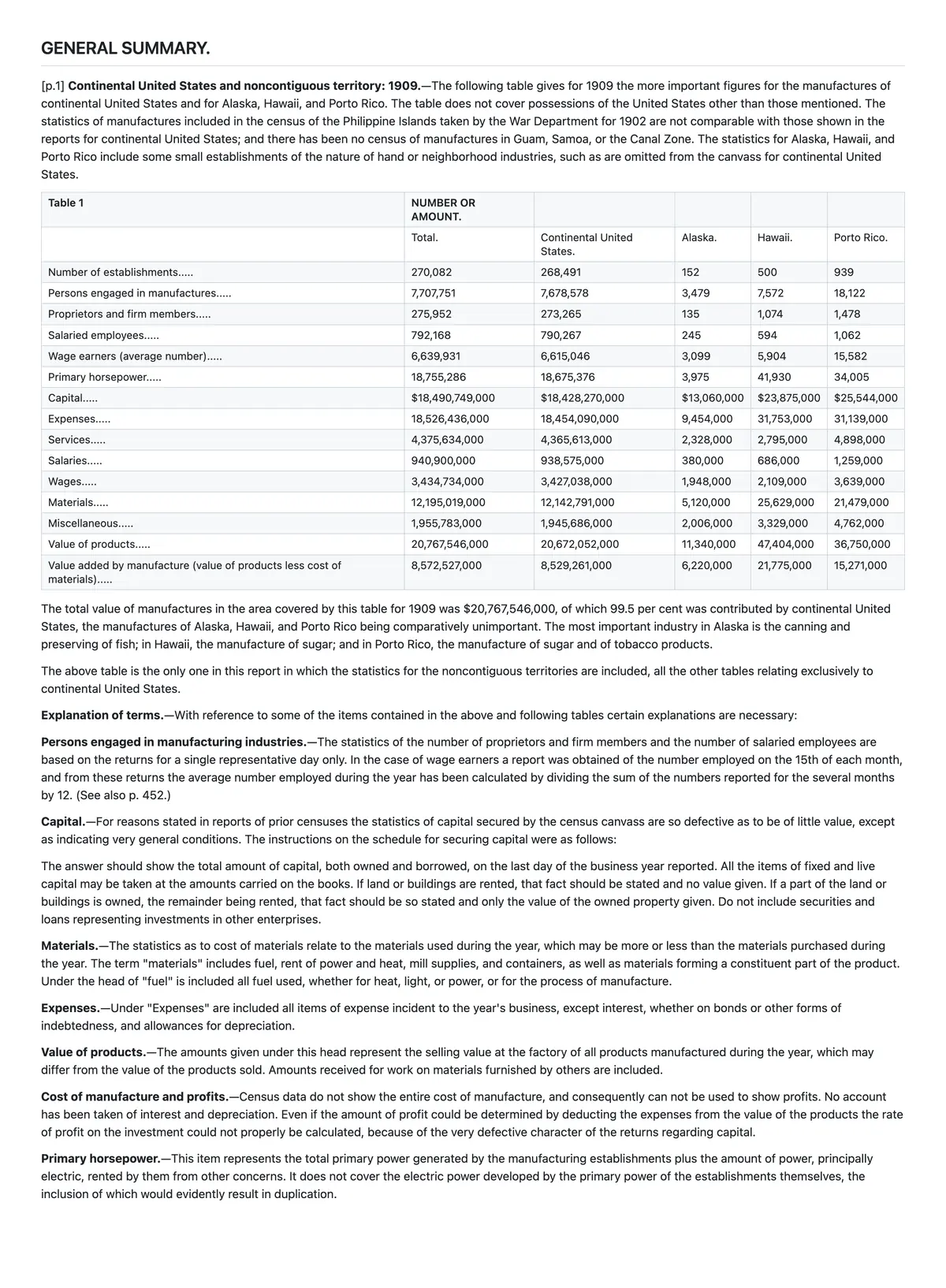 Page 437 of the 1913 U.S. Census Abstract, a scan with no text layer: the body text and bold run-in headings are recognized accurately, and Table 1 becomes an editable table of 15 rows and 5 data columns whose 75 figures match the original cell by cell.
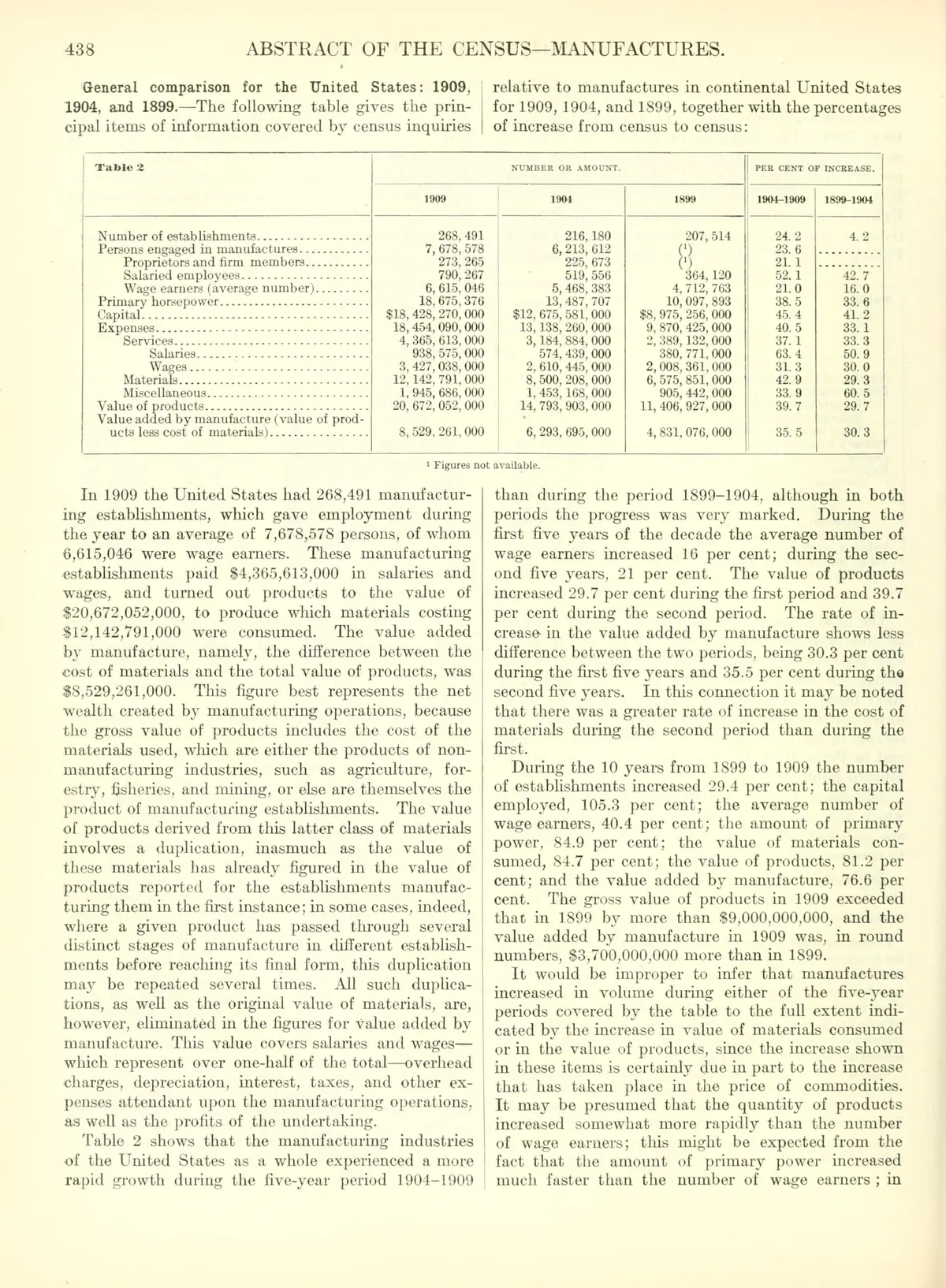
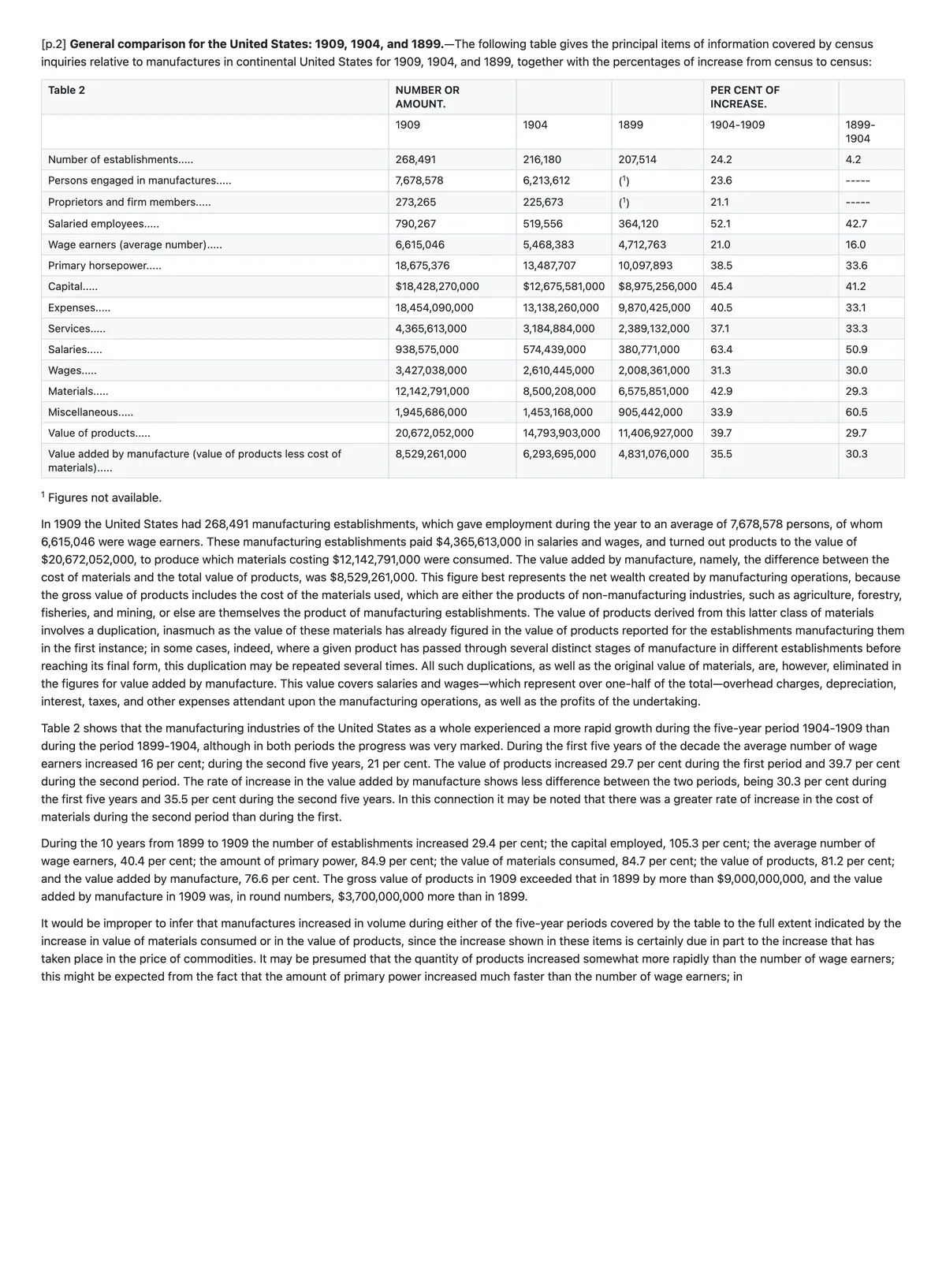 Page 438: a 1899–1909 comparison table with a two-level header (Number or Amount and Per Cent of Increase, each split by year) becomes an editable table with two header rows and figures matching the original cell by cell; the footnote marker (1) and the footnote "Figures not available." are kept.
Generated through Geyi’s extraction pipeline; headers, numbers and footnotes are checked against the scan before display. English extraction, without translation. · Source: Thirteenth Census of the United States Taken in the Year 1910: Abstract of the Census, United States Bureau of the Census, 1913 (U.S. Government work: compiled by the U.S. Bureau of the Census and published by the Government Printing Office in 1913, so it is not subject to copyright under 17 U.S.C. §105; the Internet Archive item (scanned by University of California Libraries) is marked possible-copyright-status = NOT_IN_COPYRIGHT.)
Frequently asked questions
Is vertical Japanese put back in the right order?
Yes. Vertical Japanese, two-page spreads and other unusual reading orders are corrected automatically and converted to horizontal output, with no need to split pages yourself. Multi-column pages come back in reading order rather than as one scrambled block.
How is it billed?
Per page: 4 credits a page, and a single image counts as one page.
Can it translate what it extracts?
Not on this page. When you need a translation, take the extracted Word or Markdown file into file translation and run it there.
Related
简体中文 · Français · Deutsch · Русский · 日本語 · 한국어 · العربية · 繁體中文
Geyi is a proprietary AI document platform owned and operated by Nayuta Technology and Culture Company Limited.