File Format Converter
Convert Word to EPUB, PDF to Word, EPUB to PDF — the document formats people actually exchange — in the browser, without installing anything.
Upload a file to convert its format
Several files can be submitted together and downloaded as one archive. How many run at once depends on your plan.
Geyi format conversion converts between the document formats people exchange, such as PDF, Word, DOCX and EPUB, without installing anything. Several files can be submitted together and downloaded as one archive.
Key capabilities
- Common pairings between PDF, Word, DOCX, EPUB and more
- Nothing to install
- Several files at once, downloaded as one archive
- Only the targets a file can actually become are offered
When to use format conversion
When the original is already a clean digital document whose text can be selected and only the extension is wrong. Converting here is faster than going through extraction. Both charge 4 credits a page, but they count pages differently: document extraction counts the pages of the original, while format conversion counts the text of the whole converted file, one page for every full 1,600 characters, with the remainder dropped and at least one page charged (Word and PowerPoint to PDF count the pages of the resulting PDF). For the same PDF, a multi-page file averaging fewer than 1,600 characters a page costs less to convert; one averaging more than 1,600 characters a page, or with a single page, costs no less to convert.
When the text is still part of an image — scans, photos, old vertically-set books — run document extraction first so the characters are recognised.
Batches
Several files can be submitted together and downloaded as one archive; how many run at once depends on your plan. The source format is detected on upload and only the targets that file can actually become are offered, so nothing is rejected after the fact.
Supported conversions
| From | Accepted extensions | To |
|---|
| PDF | .pdf | Word (.docx) |
| PDF | .pdf | Markdown (.md) |
| Word | .doc, .docx | PDF (.pdf) |
| Word | .doc, .docx | EPUB (.epub) |
| Word | .doc, .docx | Markdown (.md) |
| EPUB | .epub | PDF (.pdf) |
| EPUB | .epub | Word (.docx) |
| EPUB | .epub | Markdown (.md) |
| PowerPoint | .ppt, .pptx | PDF (.pdf) |
| Markdown | .md | Word (.docx) |
Geyi compared with generic machine translation and a manual workflow
The generic machine translation and manual workflow columns describe common cases; actual results vary by tool and method. The Geyi column lists only capabilities that are live in the product today.
See it in action
A scanned Tiangong Kaiwu leaf is recognized, structured and converted to Markdown. The checked opening excerpt uses a Markdown heading and editable continuous paragraphs in place of vertical lines.
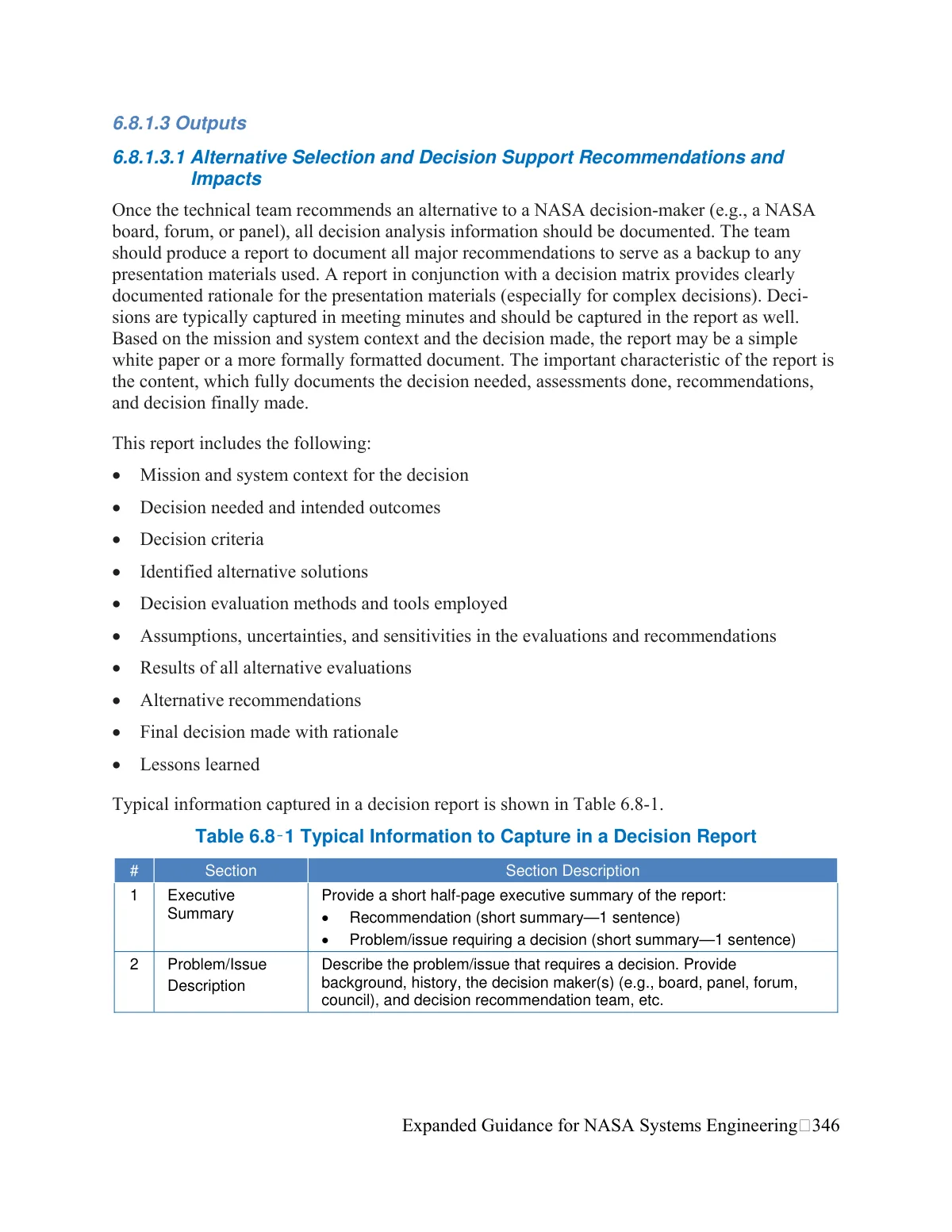
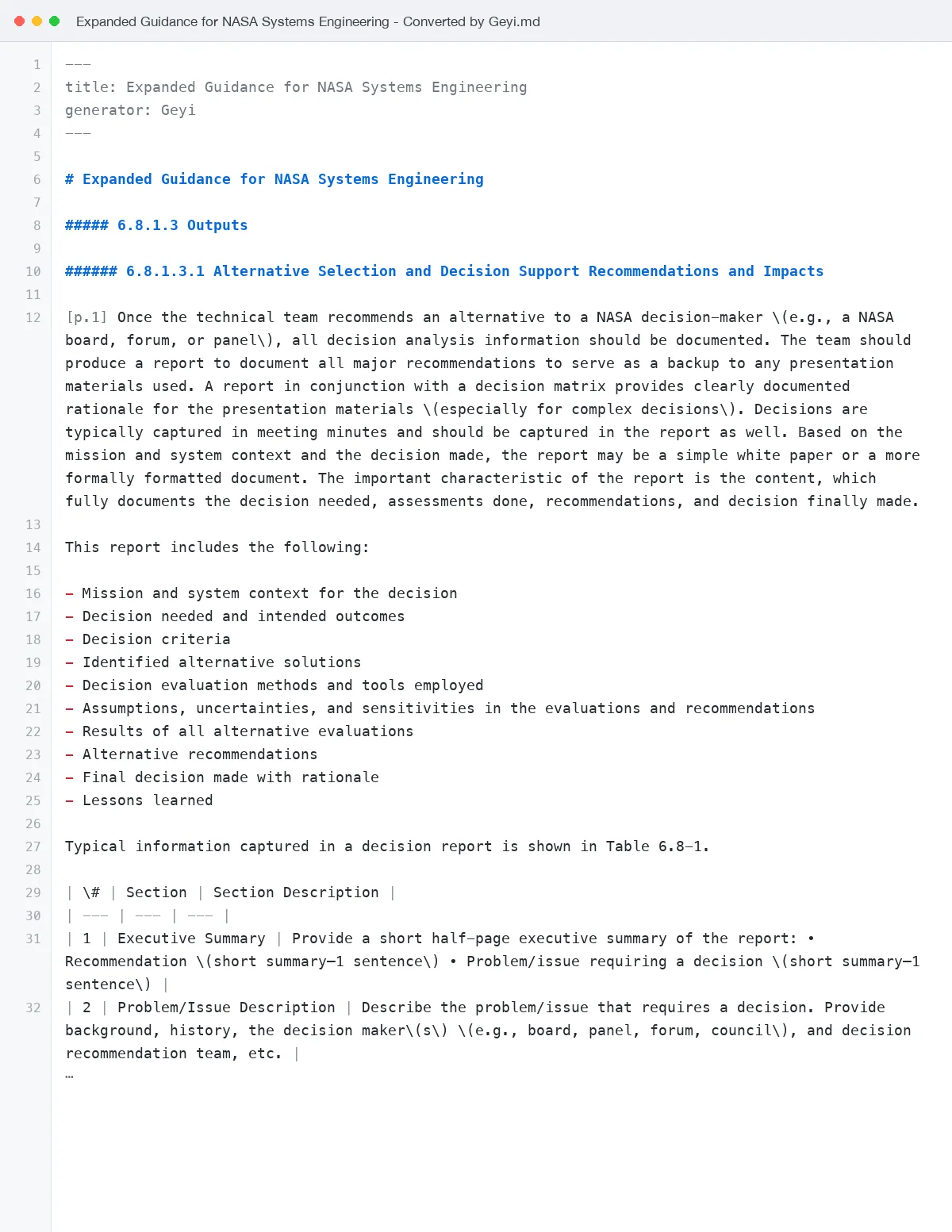 PDF to Markdown: the scanned preface leaf and a Markdown source preview; line breaks are joined, the excerpt selected and editorial punctuation added before display.
Generated through Geyi’s recognition and format-output pipeline; the displayed excerpt is manually checked and punctuated, without translation. · Source: Tiangong Kaiwu · preface, Song Yingxing, 1637 (A historical text first published in 1637; an excerpt from the preface in the supplied scan, without modern commentary.)
Frequently asked questions
Why is the target format I want greyed out?
Targets are narrowed by the source format, and only the pairings in the table above are available. The point is that whatever you can pick is something the file can actually become — nothing is rejected after upload.
Does conversion translate the document too?
No — conversion changes the container, not the language. Use file translation for a translation, and document extraction to recognise text inside scans.
Do I need to install anything?
No. It runs in the browser and the converted file downloads directly.
Related
简体中文 · Français · Deutsch · Русский · 日本語 · 한국어 · العربية · 繁體中文
Geyi is a proprietary AI document platform owned and operated by Nayuta Technology and Culture Company Limited.