PDF to Markdown converter
Markdown is the easiest format for taking a PDF into a notes app, a knowledge base, a Git repository or a corpus for a language model: plain text, clear structure, opens anywhere. The trouble is that a PDF only records where each character is drawn, not which line is a heading or which block is a table, so copying the text out breaks lines apart and scatters tables.
Geyi runs text recognition and layout analysis on every page, identifies headings, paragraphs, lists, tables, formulas and figures, then writes them out as one standard Markdown (GFM) file. It converts only, with no translation: the output stays in whatever language the original was.
Where it fits
- Papers, lecture notes and reports going into a notes app or knowledge base, with the heading levels becoming the outline.
- Product manuals and technical documentation moving into a Git repository or a docs site, to be maintained under version control.
- Material for a language model or a retrieval system: Markdown keeps the structure without layout noise, so it chunks better than raw extracted text.
- Digitising scanned material: every page goes through text recognition, so scans and PDFs made from photos come out as editable text.
What carries over
- Heading levels: recognised headings become # markers in their original hierarchy, starting at level two (##); the level-one heading at the top of the file is the uploaded file name without the .pdf extension.
- Paragraphs and lists: ordered and unordered lists keep their nesting; bold, italics, subscripts, superscripts, strikethrough and links are marked up as in the original.
- Tables: written as Markdown tables. Markdown has no merged cells, so merged cells are split and the extra cells left empty.
- Formulas: recognised as LaTeX, written as $…$ inline and $$…$$ on a line of their own.
- Images: figures are embedded in the .md file itself, so one file travels with no image folder attached; captions sit below each image.
- Footnotes and code: footnotes are gathered at the end with numbers matching the text, and code blocks stay as they are.
How it is billed
4 credits per page, charged only after a successful conversion. Pages are counted from the text produced: every full 1,600 characters is a page, with a minimum of one page.
Before starting, the PDF's page count is used for an estimate; if your balance cannot cover it you are told up front and the conversion does not start.
Choosing between conversion, translation and extraction
Use this page to change the format without touching the language. For a translation, use file translation, which can export Markdown too.
For vertically set books and pages with an unusual reading order, use document extraction: it is built for vertical text and reading order, and exports Markdown as well.
Convert a PDF to Markdown in three steps
- Upload the PDF Drop PDFs on this page or in the format conversion workbench; several can go at once.
- Confirm Markdown as the target Pick Markdown as the target format (it is preselected when you arrive from this page), then start the conversion.
- Download the .md file Download the result when it finishes: one .md file with its images embedded. Several files can be downloaded together with Batch Download.
See it in action
Two pages of a NASA technical handbook converted from PDF to Markdown: the three numbered section titles become Markdown headings by level, the body text matches the original word for word, and both tables become Markdown tables.
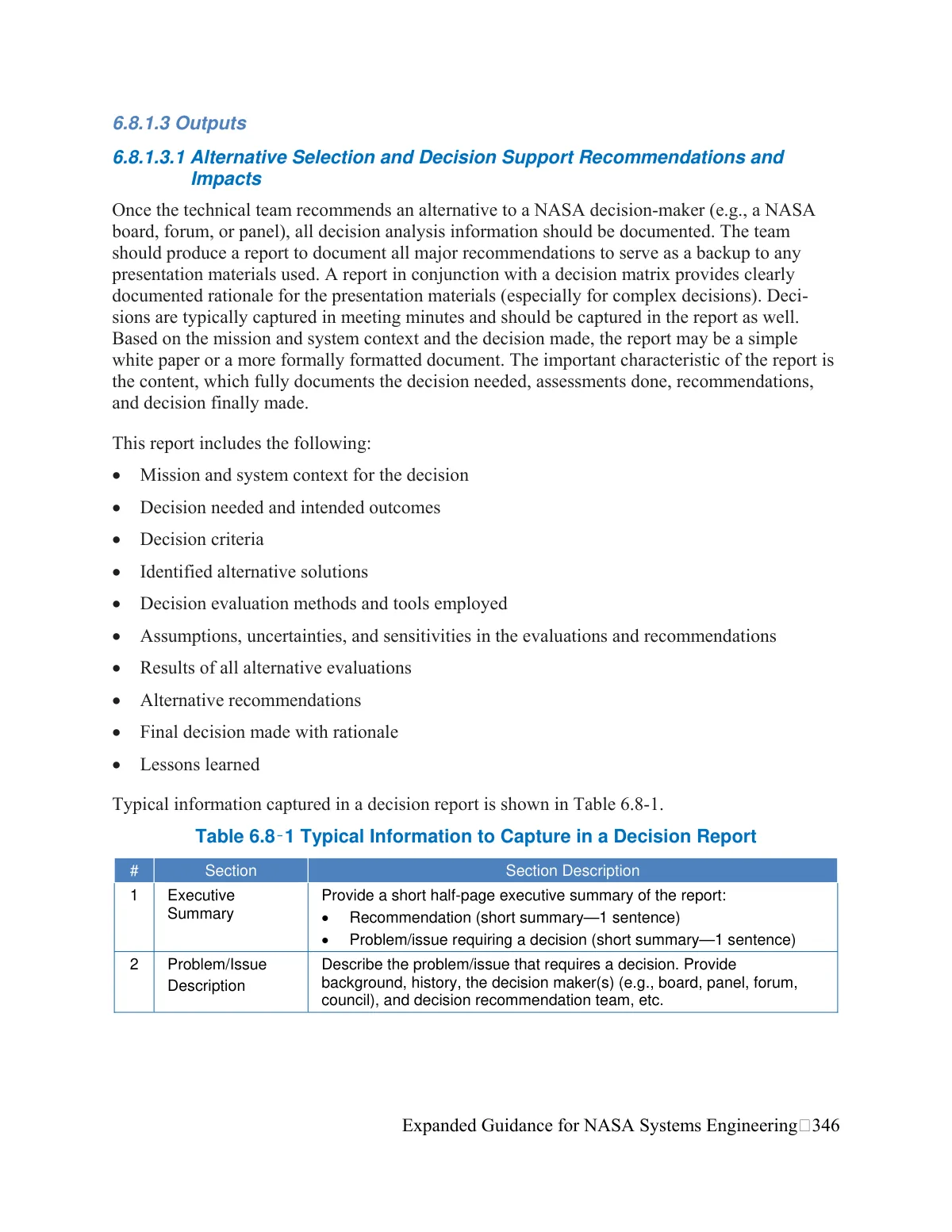
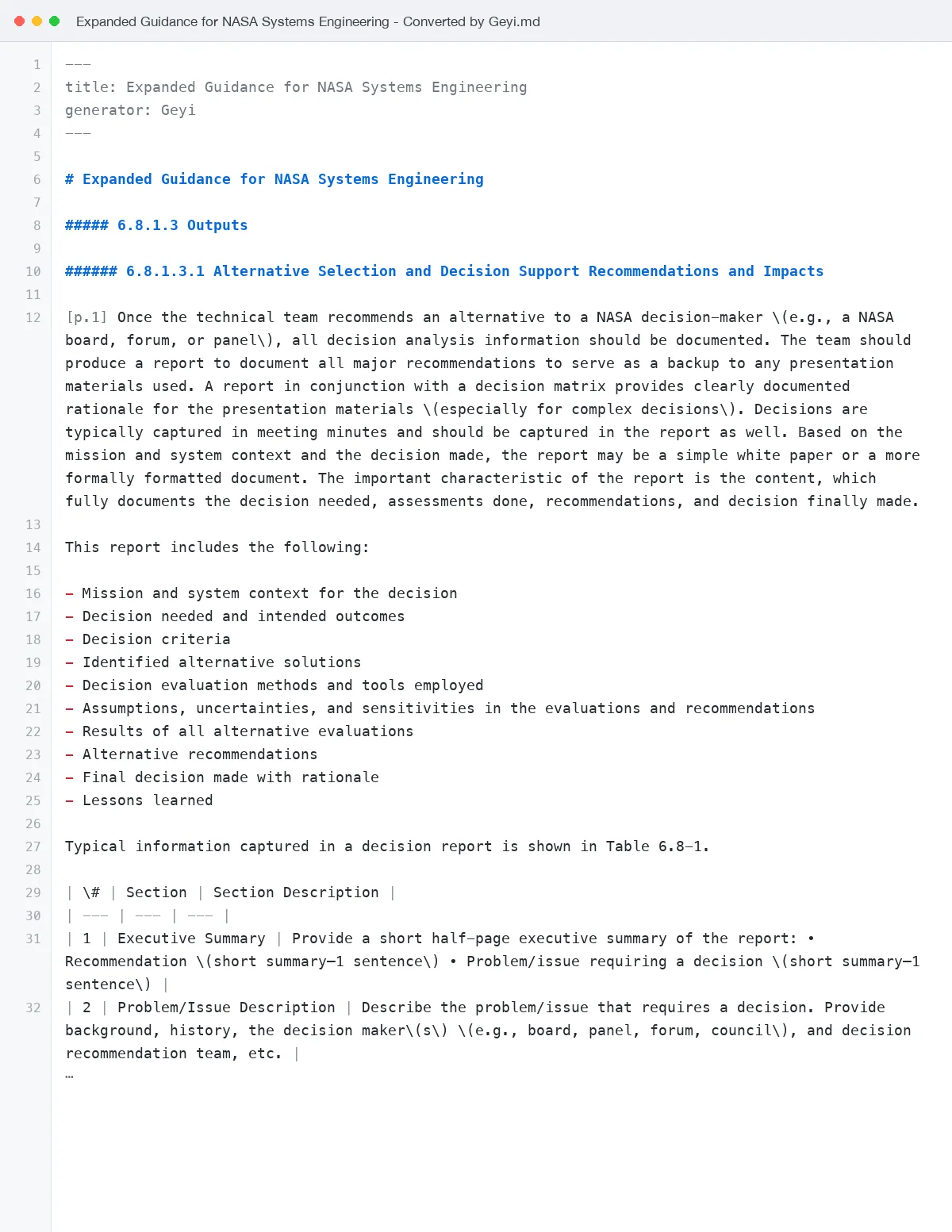 Page 1 → Markdown: numbered section titles become ##### / ###### headings by level, the body text matches the original word for word, and Table 6.8-1 becomes a Markdown table.
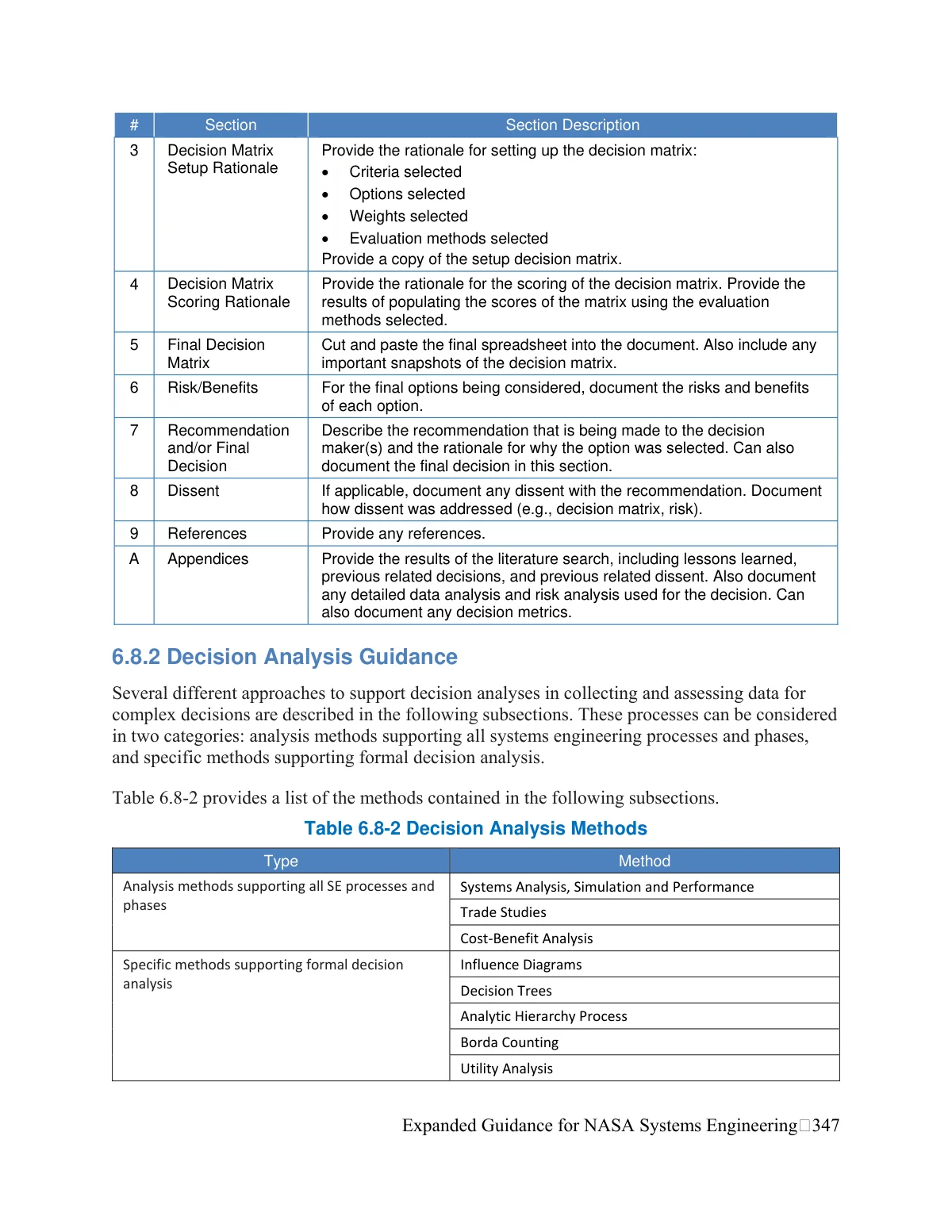
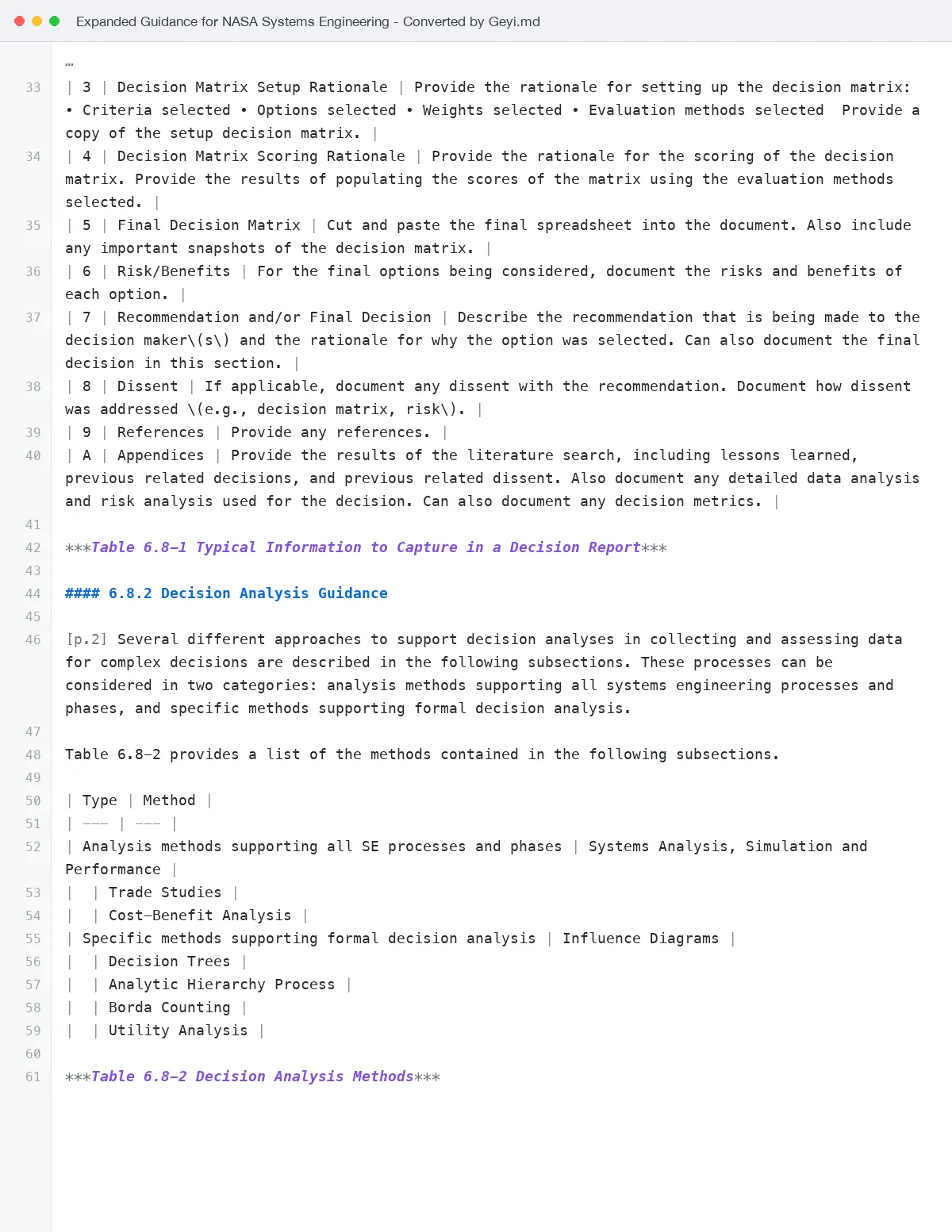 Page 2 → Markdown: section 6.8.2 becomes a #### heading, the body text matches the original word for word, and Table 6.8-2 is converted row by row into a Markdown table.
Actual production output; 14 spots hand-corrected before display · Source: Expanded Guidance for NASA Systems Engineering, Volume 1: Systems Engineering Practices, Steven R. Hirshorn (NASA Headquarters), 2016 (U.S. Government work: NASA Special Publication NASA/SP-2016-6105/SUPPL authored by NASA Headquarters staff, not subject to copyright in the United States under 17 U.S.C. §105; the NASA Technical Reports Server (NTRS) record lists copyright determination GOV_PUBLIC_USE_PERMITTED and distribution PUBLIC.)
Frequently asked questions
How much does PDF to Markdown cost?
4 credits per page, charged only after a successful conversion. Pages are counted from the text produced, every full 1,600 characters being a page with a minimum of one; the PDF's page count gives an up-front estimate, so a short balance is flagged before anything starts.
Can it convert scanned PDFs?
Yes. Every page goes through text recognition, so scans and PDFs made from photos come out as text. For vertically set books or pages with an unusual reading order, use document extraction instead.
Where do the images go?
Figures are embedded in the .md file itself, so there is no separate image folder and one file carries everything; captions stay below each image. Image-heavy documents make correspondingly larger files.
Are formulas kept?
Yes. Formulas are recognised as LaTeX, written as $…$ inline and $$…$$ on a line of their own, and display directly in Markdown editors that support math.
What happens to tables?
They become standard Markdown tables. Markdown tables cannot merge cells, so merged cells are split and the extra cells left empty.
Does it translate the document too?
No. Conversion changes the format, not the language. Use file translation for a translation; it can export Markdown as well.
Related
中文版
Geyi is a proprietary AI document platform owned and operated by Nayuta Technology and Culture Company Limited.