Translate PDF to PowerPoint & AI Research Paper to PPT
Upload a paper and get back an editable PPTX. Geyi reads the whole document first, proposes an outline you can edit, then writes each slide against that outline. To present a foreign-language paper in your own language, pick a slide language — Simplified or Traditional Chinese, English, Japanese, Korean, French, German or Russian — and the slides are written directly in it.
Upload a paper to generate slides
Output is a standard PPTX file, so it opens in PowerPoint, Keynote or Google Slides and can be edited like any other deck.
Geyi Paper to PPT turns a PDF or Word paper into an editable PPTX: it reads the whole document, proposes an outline you can edit, then writes each slide. Slides stay in the paper's language or are written in any of eight offered languages; right-to-left languages such as Arabic are not supported yet.
Key capabilities
- Accepts PDF and Word (.pdf, .docx, .doc)
- Editable outline first; rebuilding after an edit is not charged again
- Slide language: Simplified or Traditional Chinese, English, Japanese, Korean, French, German or Russian; right-to-left languages not yet
- Standard PPTX that opens in PowerPoint, Keynote, WPS or Google Slides
- Six colour themes; slide count adapts to the paper or is yours to set
- Slides billed as produced; a new language adds a translation fee by paper page, both shown before you run
What you can upload
PDF and Word files (.pdf, .docx, .doc). For images and scans, run them through document extraction first and generate from the extracted text.
What you get back
A standard PPTX file that opens in PowerPoint, Keynote, WPS or Google Slides and edits like any deck you built yourself. Not screenshots, and not a locked template.
Six colour themes are available: academic blue, minimal mono, vivid, forest, sunset and dark tech. The slide count either adapts to the length of the paper or is yours to set anywhere from 5 to 40.
Which language the slides are in
By default, the same language as the paper. To change it, pick a slide language: Simplified Chinese, Traditional Chinese, English, Japanese, Korean, French, German or Russian. The slides are written directly in that language; formulas, numbers, citations and the names of people and institutions stay as in the paper.
Right-to-left languages such as Arabic, Hebrew and Persian are not supported yet.
How it is billed
On the slides actually produced: 5 credits each on the standard tier, 8 on the Premium tier, plus one slide for the cover, with a 10-credit minimum per run. The estimate is shown before you submit.
Choosing a slide language other than the paper's adds a translation fee, charged on the paper's page count at the current document translation rate (10-credit minimum per job). The translation fee and the slide fee are shown before you run; nothing is charged until the deck is ready, and if the paper is already in the chosen language only the slide fee applies.
Rebuilding after an outline edit is not charged again, so the same paper can be tuned until it is right. Outlines are kept for 30 days; after that they can no longer be rebuilt from.
Two tiers, billed per slide
| Tier | Credits per slide | Suits |
|---|
| Standard | 5 credits / slide | The value option: fast, and substantial enough. Fine for lab meetings and progress updates. |
| Premium | 8 credits / slide | Quality first: fuller points on each slide and more complete speaker notes. Worth the difference for a defence or an external talk. |
Geyi compared with generic machine translation and a manual workflow
The generic machine translation and manual workflow columns describe common cases; actual results vary by tool and method. The Geyi column lists only capabilities that are live in the product today.
Three steps, paper to talk
- Upload the paper Drop in a PDF or Word file. The whole text is read, not just the opening pages.
- Set the look and the length Pick a colour theme, and either let the slide count adapt or drag it yourself. Choose the Premium tier for fuller content — the credit estimate appears before anything runs.
- Check the outline, take the deck The outline arrives first. Happy with it, wait for the slides and preview or download the PPTX. Not happy, edit it there and rebuild.
See it in action
The first three pages of NASA’s magnetic-gear paper generate a 14-slide Chinese deck. The preview shows the rig figure, summarized points and measurements; extrapolated and measured efficiencies are distinguished, and the specifications table is edited into Chinese.
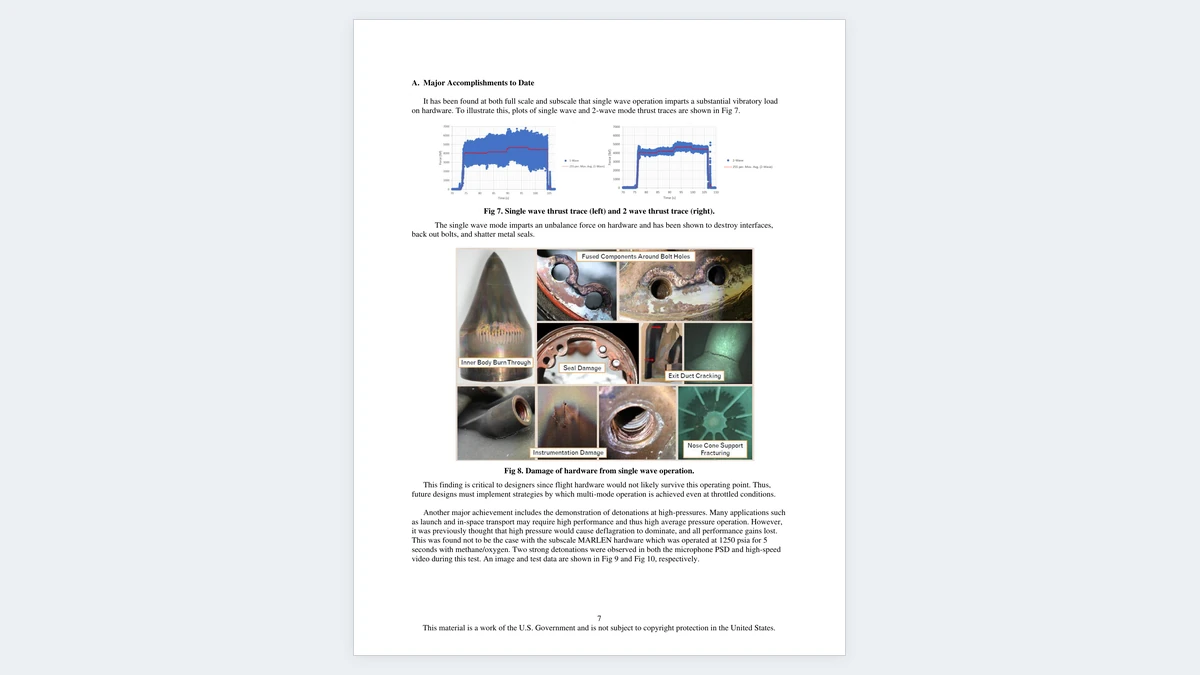
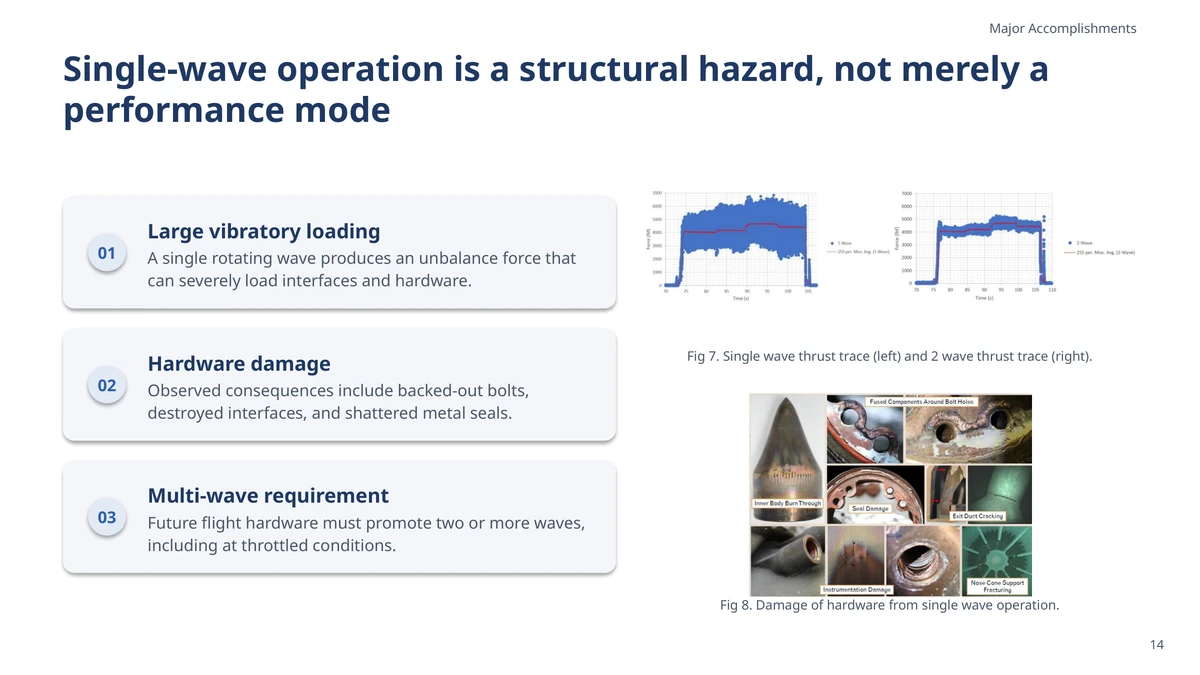 English paper to Chinese slides: the rig photograph on source page 3 and slide 6, pairing the figure with the key platform specifications.
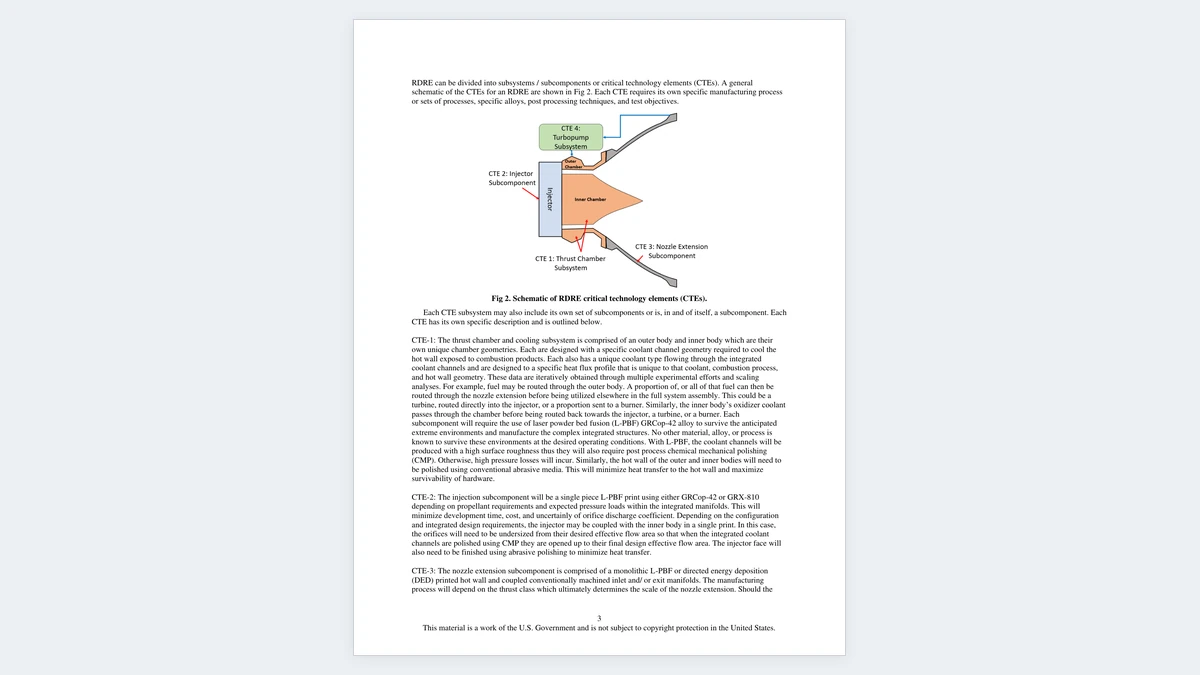
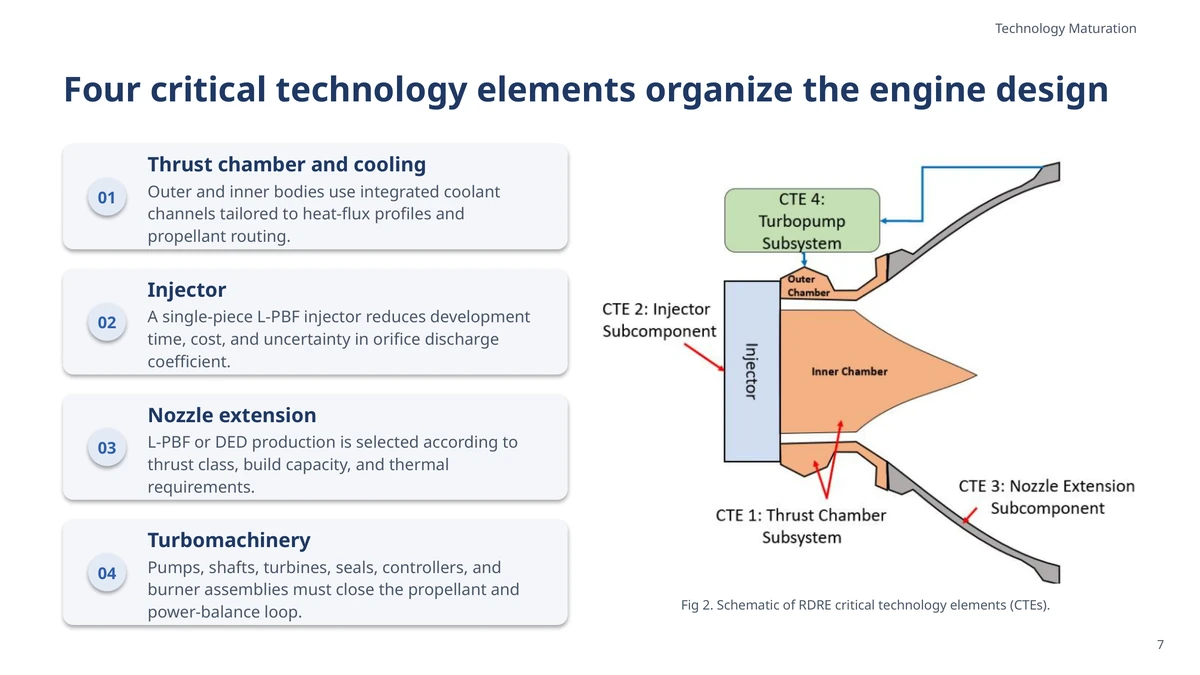 Abstract to measurement slide: source page 1 and slide 11 distinguish efficiency measured at 10 N·m from efficiency extrapolated to 85% of maximum torque.
Generated through Geyi’s pipeline, then checked against the source and edited for display. These are excerpts; translations are in Simplified Chinese. · Source: Dynamic Testing of a High-Specific-Torque Concentric Magnetic Gear, Justin J. Scheidler, Zachary A. Cameron, Thomas F. Tallerico (NASA Glenn Research Center), 2019 (U.S. Government work, not subject to copyright: the NTRS record's copyright determination is GOV_PUBLIC_USE_PERMITTED, and the footnote on page 1 states “This is a work of the U.S. Government and is not subject to copyright protection in the U.S.” All three authors are NASA Glenn Research Center research engineers.)
Frequently asked questions
Which files can I upload?
PDF and Word (.pdf, .docx, .doc). For images and scans, run them through Document extraction first to get the text out.
How many slides do I get?
By default the length adapts to the paper — roughly half its page count, landing between 12 and 40 slides. You can also set anything from 5 to 40 yourself.
How is it billed?
On the slides actually produced: 5 credits each on Standard, 8 on Premium, plus one slide for the cover, with a 10-credit minimum per run. Choosing a slide language other than the paper's adds a translation fee by the paper's page count (10-credit minimum). The estimate is shown before you submit.
Can I change the outline?
Yes — add slides, delete them, reorder, rewrite the points, then rebuild without spending credits again. Outlines are kept for 30 days; after that they can no longer be rebuilt from.
Can I edit the finished deck?
Yes. It's a standard PPTX — open it in PowerPoint, Keynote or WPS and carry on editing.
Related
简体中文 · Français · Deutsch · Русский · 日本語 · 한국어 · العربية · 繁體中文
Geyi is a proprietary AI document platform owned and operated by Nayuta Technology and Culture Company Limited.