Scanned PDF & Document Translation
In a scan, the text is not text — it is a picture. You cannot select it, and ordinary translation tools cannot read it, which is why dropping a photocopied archive into a translation box usually returns nothing at all. To translate a scanned PDF, the characters have to be recognised first.
Upload a scan to start translating
Geyi recognises these files before translating them: it reads the characters out of the image, works out the reading order, then translates and lays the result out again. Multi-column pages come back column by column rather than scrambled, and vertical text is converted to horizontal.
Geyi scanned document translation recognises text before translating: it reads the characters out of scans, photocopies and image-only PDFs, works out the reading order, then translates and lays the result out again, with multi-column pages restored and vertical text set horizontally.
Key capabilities
- Scanned book pages, photocopied archives and image-only PDFs
- Photographs of documents in PNG, JPEG, WEBP, TIFF and similar formats
- Multi-column pages restored column by column
- Vertical Japanese and two-page spreads corrected automatically
- Document extraction returns the original text without translating
Which originals belong here
- Scanned book pages and photocopied archives — PDFs produced by a scanner or copier.
- Photographs of documents — PNG, JPEG, WEBP, TIFF and similar image formats.
- Image-only PDFs — the kind where no text can be selected in a reader.
- Older publications with complex layouts — multiple columns, vertical setting, two-page spreads.
When recognition is most accurate
Clean print scanned straight gives the highest accuracy. Blurry, skewed or unevenly lit images, and pages with a lot of handwriting, are markedly harder — for those, check the key passages against the original before exporting.
Vertical Japanese, two-page spreads and other unusual reading orders are corrected automatically, with no need to split pages or reorder anything yourself.
When you only want the original text
If all you need is the text out of the scan, without translation, document extraction fits better: it bills 4 credits a page and produces horizontal, editable Word, PDF, TXT or Markdown in whatever language the original was.
Extracting first to check recognition quality, then deciding whether to translate, is also a way to spend fewer credits.
Geyi compared with generic machine translation and a manual workflow
The generic machine translation and manual workflow columns describe common cases; actual results vary by tool and method. The Geyi column lists only capabilities that are live in the product today.
See it in action
Four opening pages of the 1917 Rashōmon scan are translated through high-precision reflow and then reviewed paragraph by paragraph as horizontal Simplified Chinese. Furigana leaking into prose, clothing and time references, and page-break joins are corrected for display.
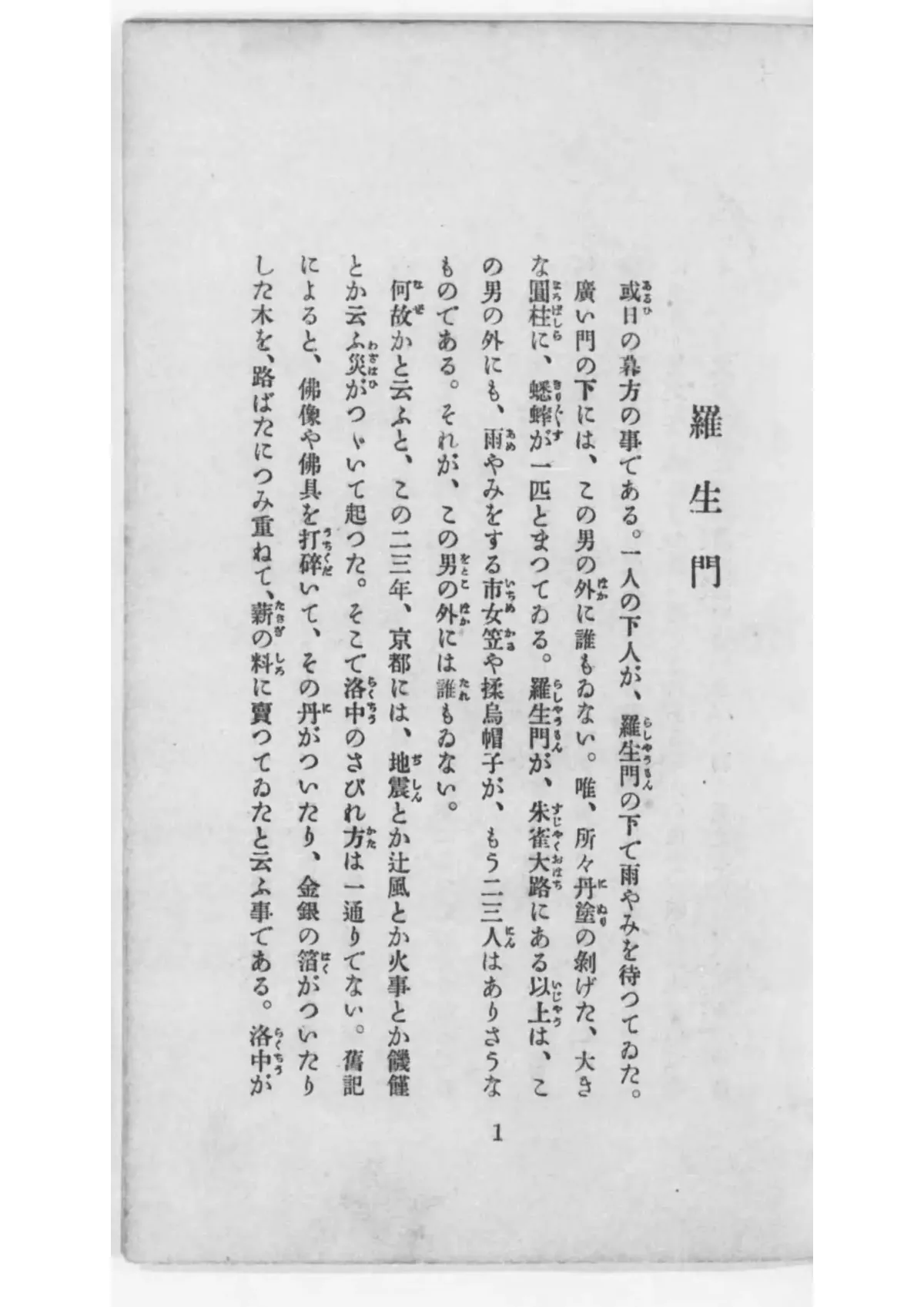
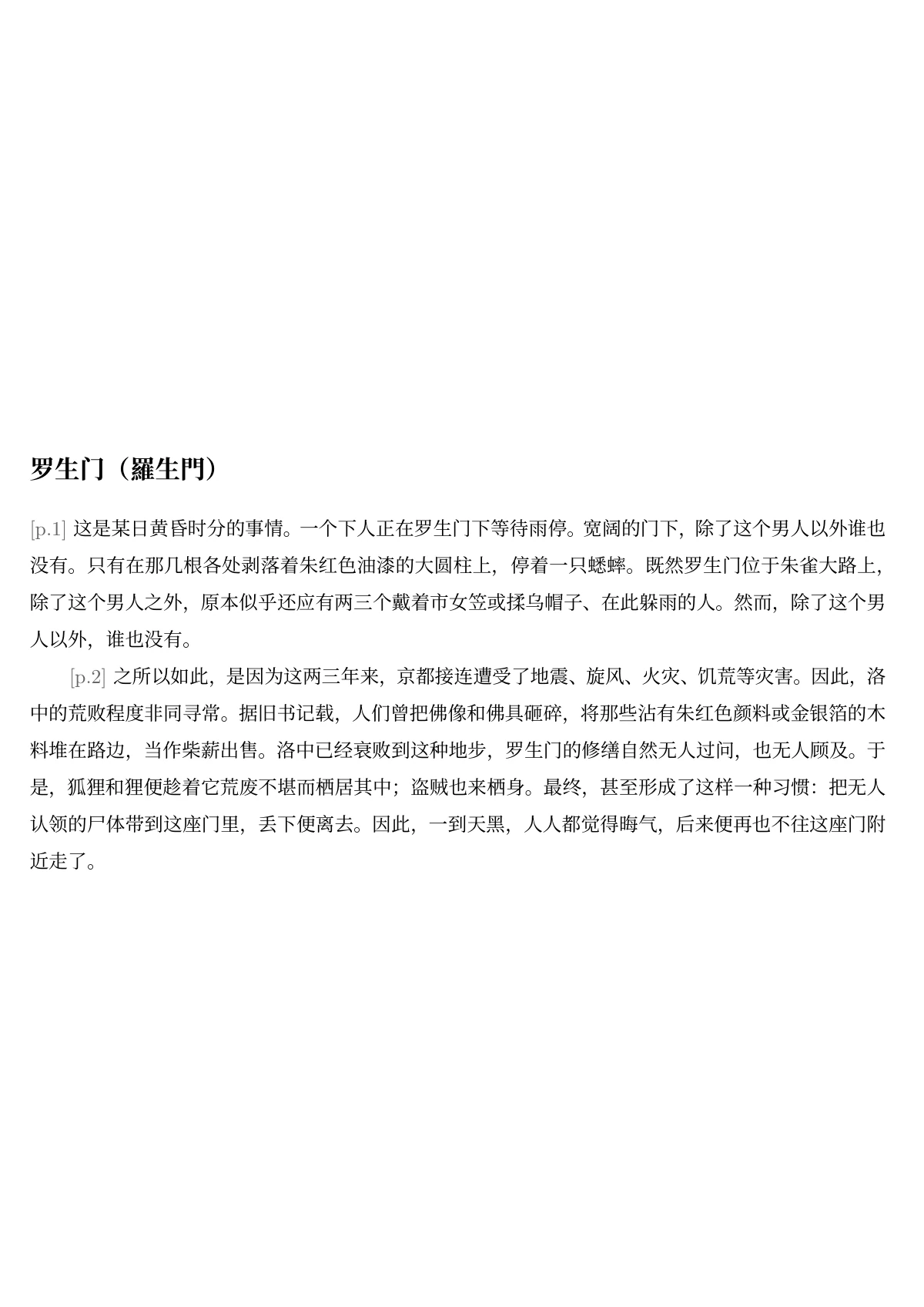 Vertical-book translation: page 1 of the 1917 edition and the reviewed opening paragraph in Simplified Chinese, without furigana mixed into the prose.
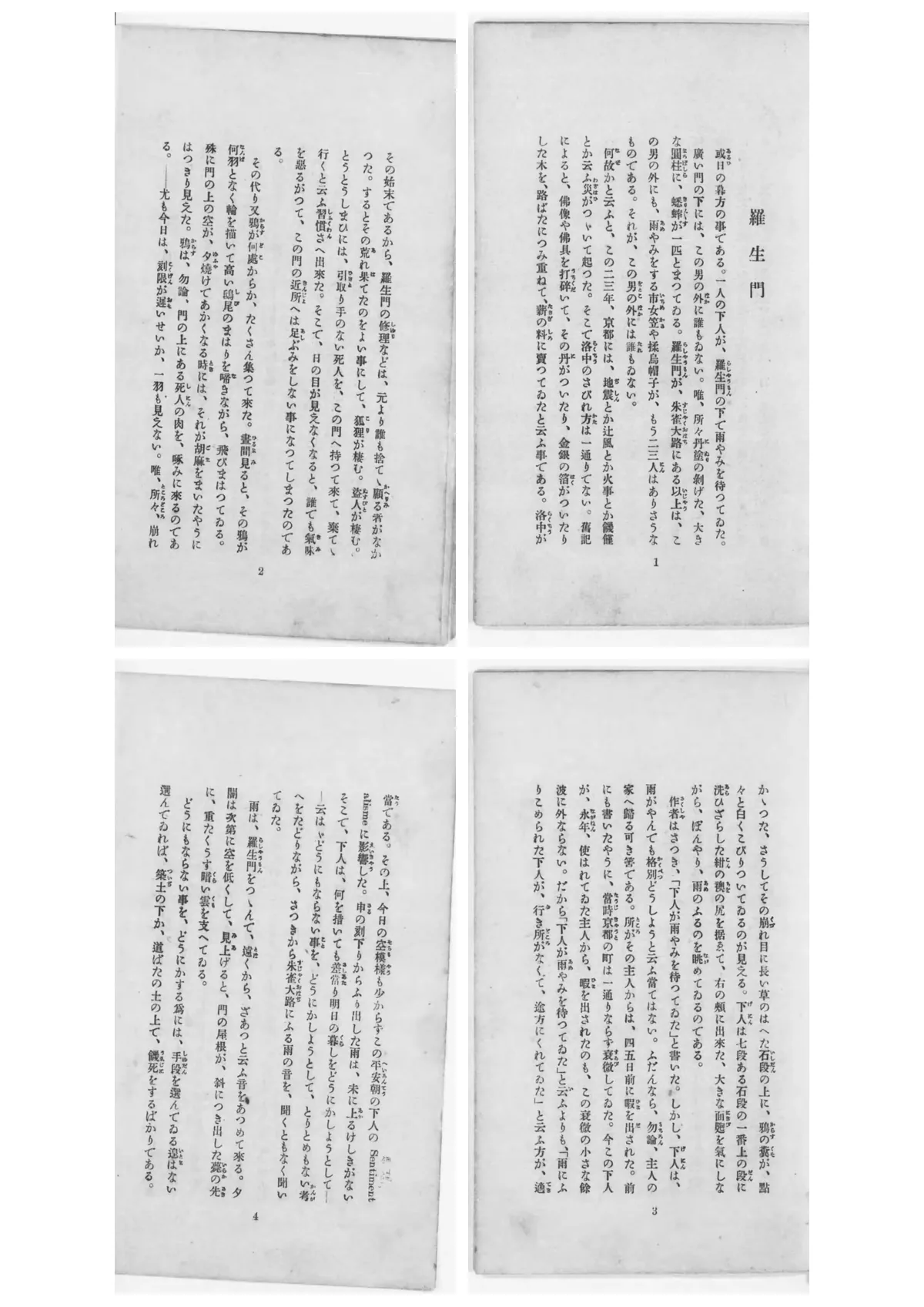
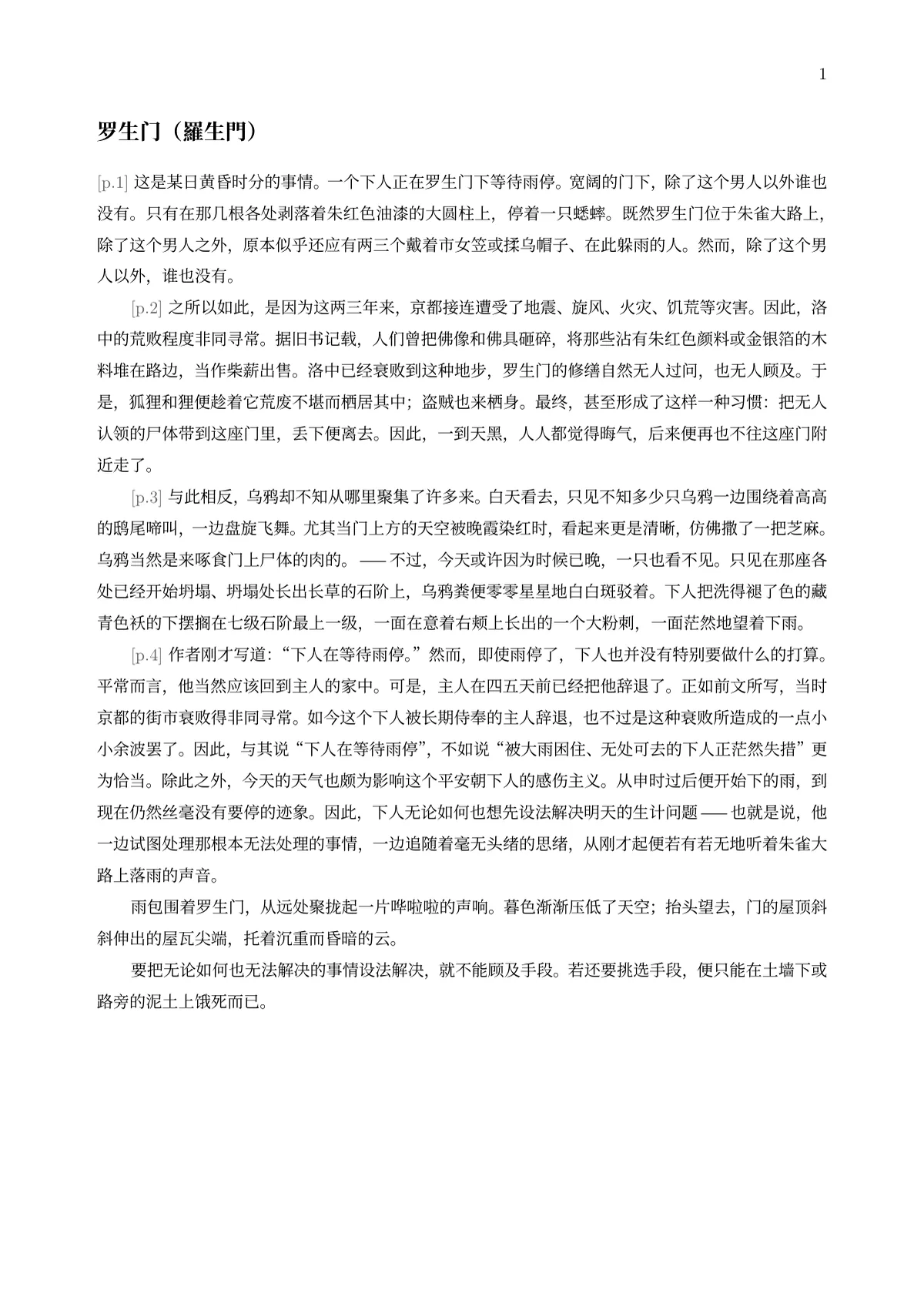 Printed pages 1–4, arranged in Japanese reading order, alongside the complete reviewed excerpt with text joined across page breaks.
Before
或日の暮方の事である。一人の下人が、羅生門の下で雨やみを待つてゐた。廣い門の下には、この男の外に誰もゐない。唯、所々丹塗の剝げた、大きな圓柱に、蟋蟀が一匹とまつてゐる。羅生門が、朱雀大路にある以上は、この男の外にも、雨やみをする市女笠や揉烏帽子が、もう二三人はありさうなものである。それが、この男の外には誰もゐない。
After
某日黄昏时分,一个下人正在罗生门下等待雨停。宽阔的门下,除了这个男人以外谁也没有。只有在那几根各处剥落着朱红色油漆的大圆柱上,停着一只蟋蟀。既然罗生门位于朱雀大路上,除了这个男人之外,原本似乎还应有两三个戴着市女笠或揉乌帽子、在此躲雨的人。然而,除了这个男人以外,谁也没有。
Opening paragraph: transcribed source text with old-style characters and furigana omitted, alongside the manually reviewed Simplified Chinese translation.
Processed through Geyi’s actual pipeline; the translation is manually checked and edited paragraph by paragraph. The display is an edited excerpt. · Source: Rashōmon, Ryūnosuke Akutagawa, 1917 (The author, Ryūnosuke Akutagawa, died in 1927, more than 70 years ago; under Japanese copyright law, works of authors who died before the end of 1967 were protected for 50 years after death, so protection of this book expired at the end of 1977. The National Diet Library Digital Collections marks the item PDM (Public Domain Mark) and publishes it online (DOI 10.11501/1088339).)
Frequently asked questions
What does translating a scan cost?
Scans go through the recognition path used by AI reflow: 8 credits a page on high precision, 4 on standard, with a 10-credit minimum per file. A single image counts as one page.
Why is it more expensive than a normal PDF?
A scan has to be recognised before it can be translated, and that step costs considerably more compute than reading an existing text layer. Digital PDFs on layout-preserving mode are 4 credits a page.
Do multi-column layouts come back scrambled?
No. Multi-column pages are restored in reading order rather than swept left to right into one block.
Can handwriting be recognised?
Printed text is recognised far more reliably than handwriting. Where a document is largely handwritten, results need checking — run document extraction first to see the recognition quality.
What format is the finished translation?
Scans go through AI reflow, so you can export Word, PDF, Markdown or EPUB. Note that the translation is not painted back onto the original image; it is laid out as an editable document.
Does a single image really cost 10 credits?
Yes — every file bills at least 10 credits and one image counts as one page. Combining several images into one PDF before uploading bills on the total page count, which works out cheaper.
Related
简体中文 · Français · Deutsch · Русский · 日本語 · 한국어 · العربية · 繁體中文
Geyi is a proprietary AI document platform owned and operated by Nayuta Technology and Culture Company Limited.